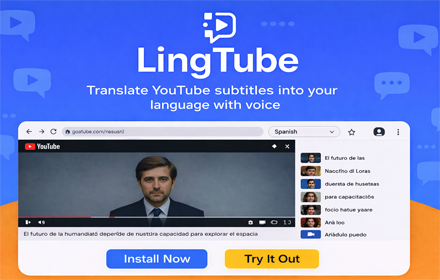
Translation, dubbing, and study tools stay one click away while the video keeps playing.
Chrome extension · YouTube
YouTube video translation, subtitle translation, and AI dubbing in one extension.
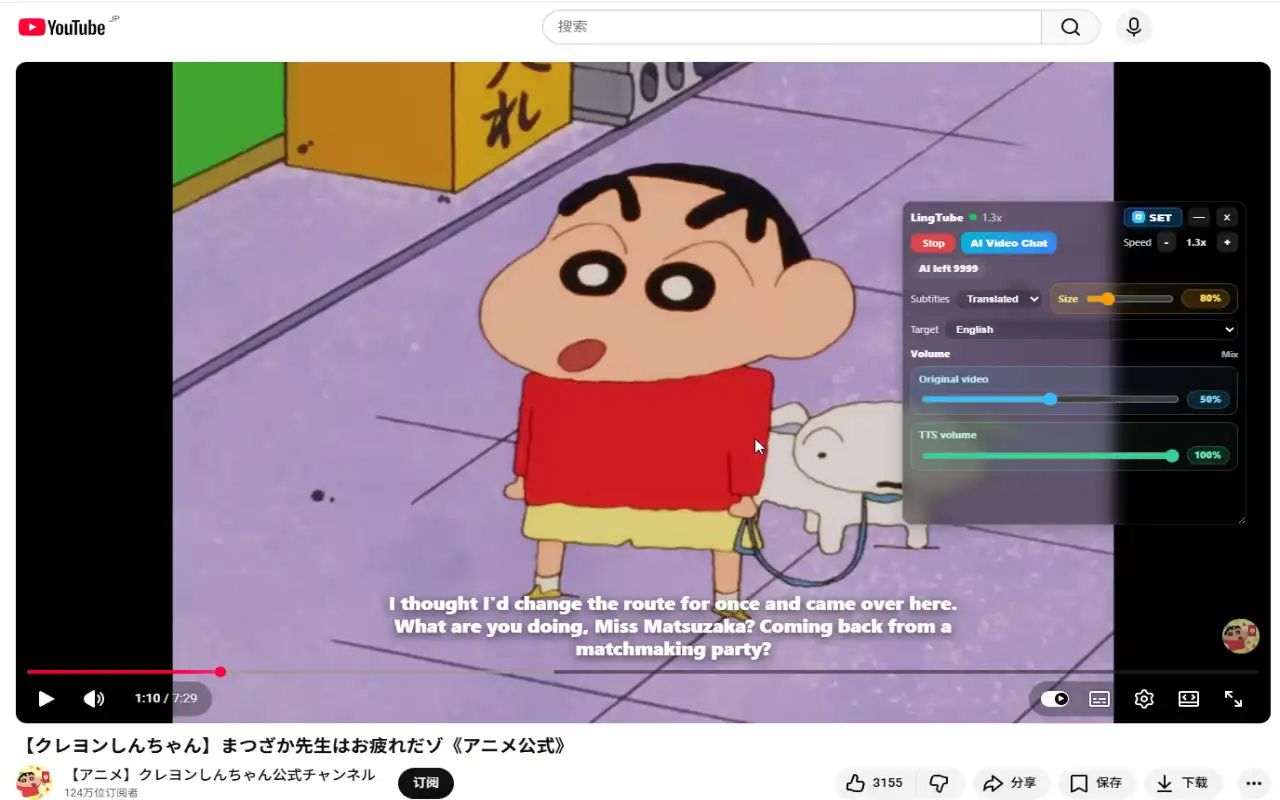
Open a YouTube video, click once, and LingTube turns foreign-language audio or subtitles (or videos with no captions at all) into translation you can understand. Natural AI voices read it aloud while you watch — so you no longer have to keep your eyes on the subtitle line.
YouTube video translation
Subtitle translation
AI dubbing
Alt + Shift + V quick start
Coursera
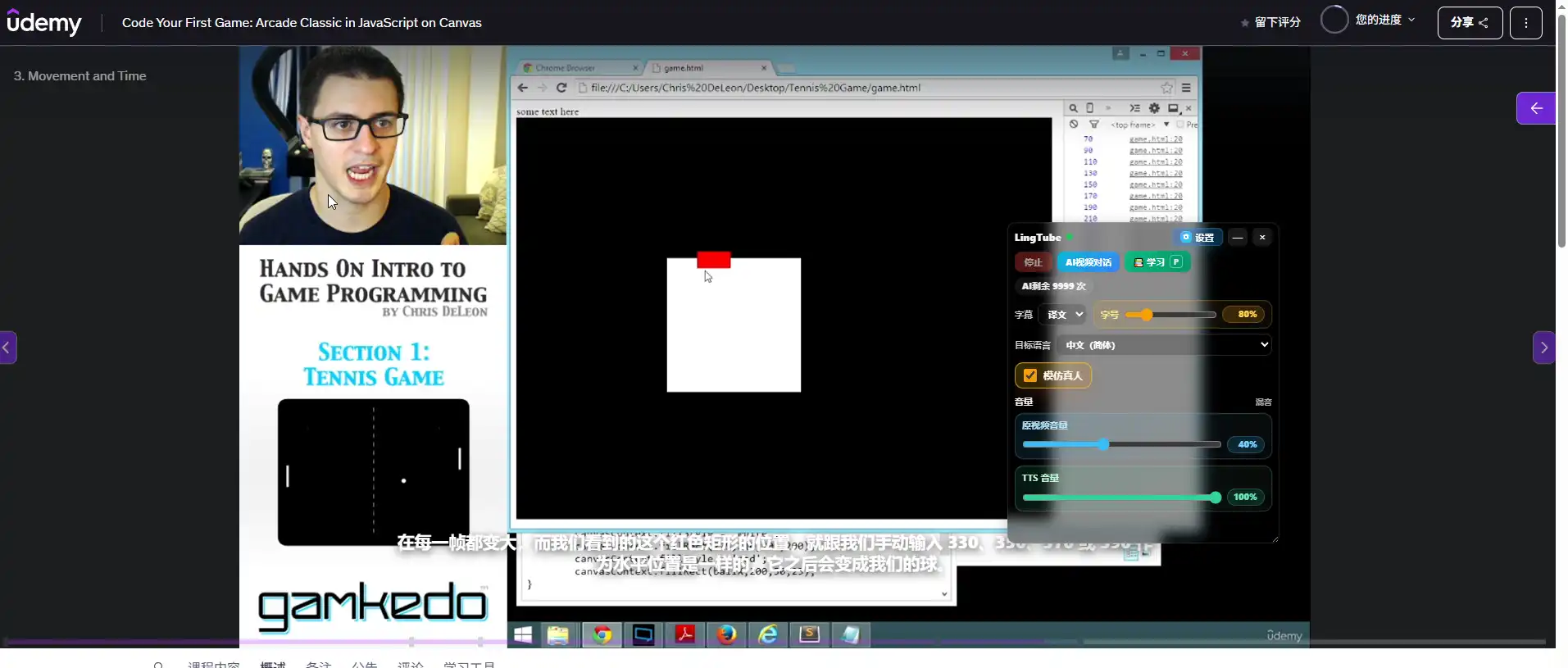
Udemy
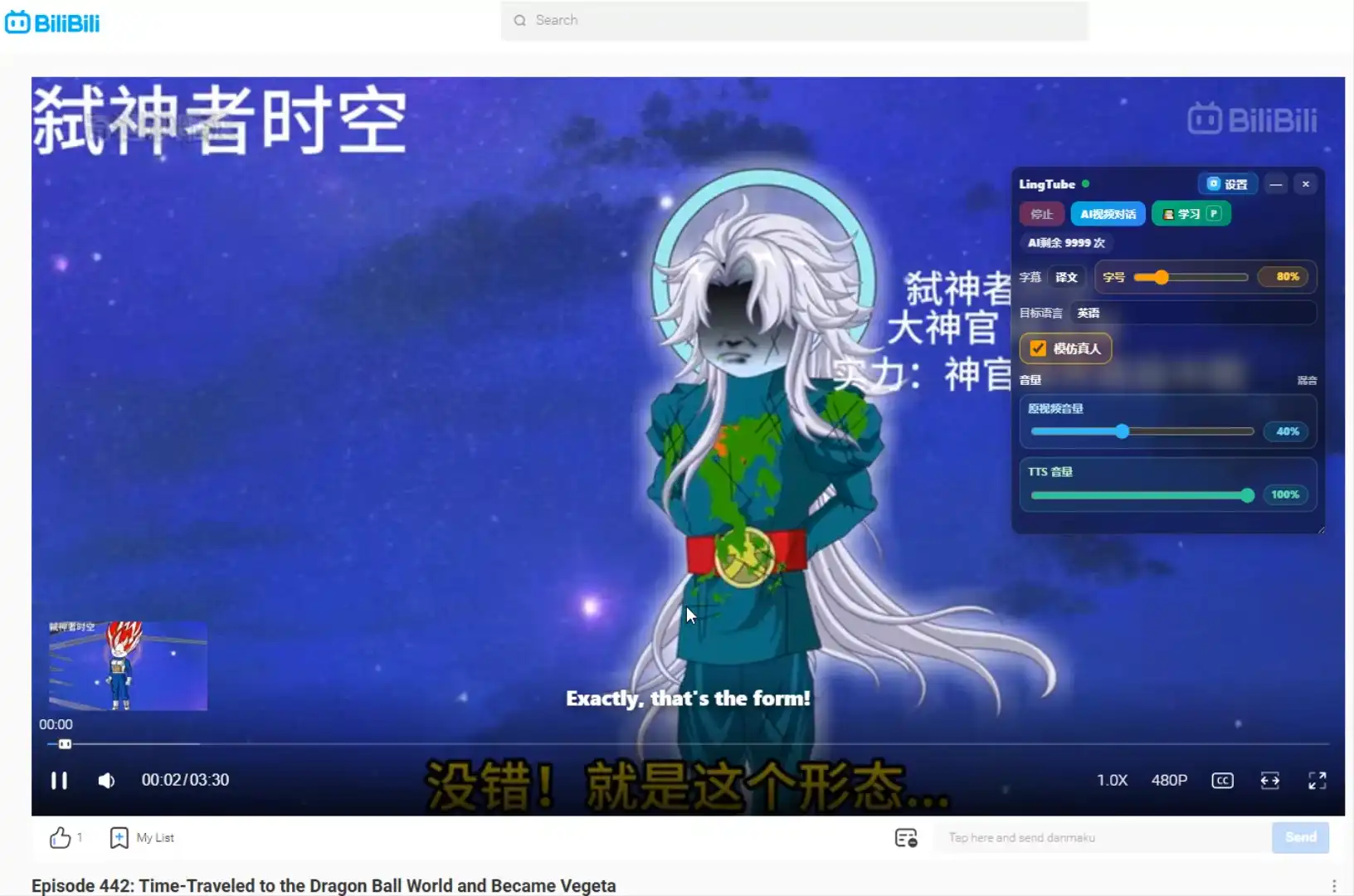
Bilibili
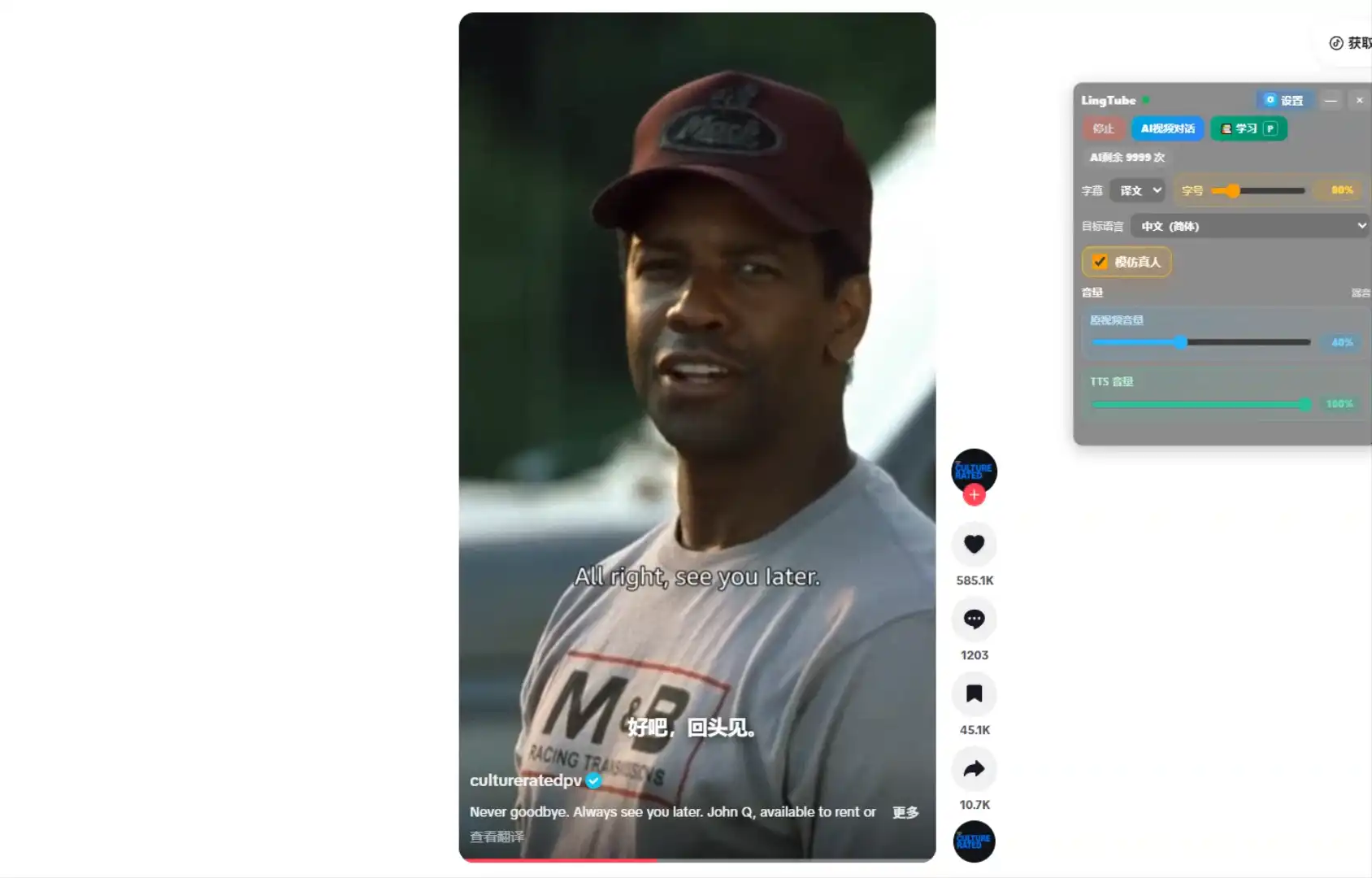
TikTok
Great for language learning, courses, tech tutorials, news, podcasts, anime, film clips, and commuting.
When a translation already exists, replaying it does not consume any extra usage.
Live demo
See LingTube translate, dub, and study a real YouTube video.
Short demo of the full flow: subtitle translation, bilingual captions, AI voice read-aloud, and the no-caption rescue path.
 Play demo
Core features
Built for the way you actually watch YouTube.
Translation, bilingual subtitles, AI dubbing, AI summaries, and AI study — all integrated into one Chrome extension.
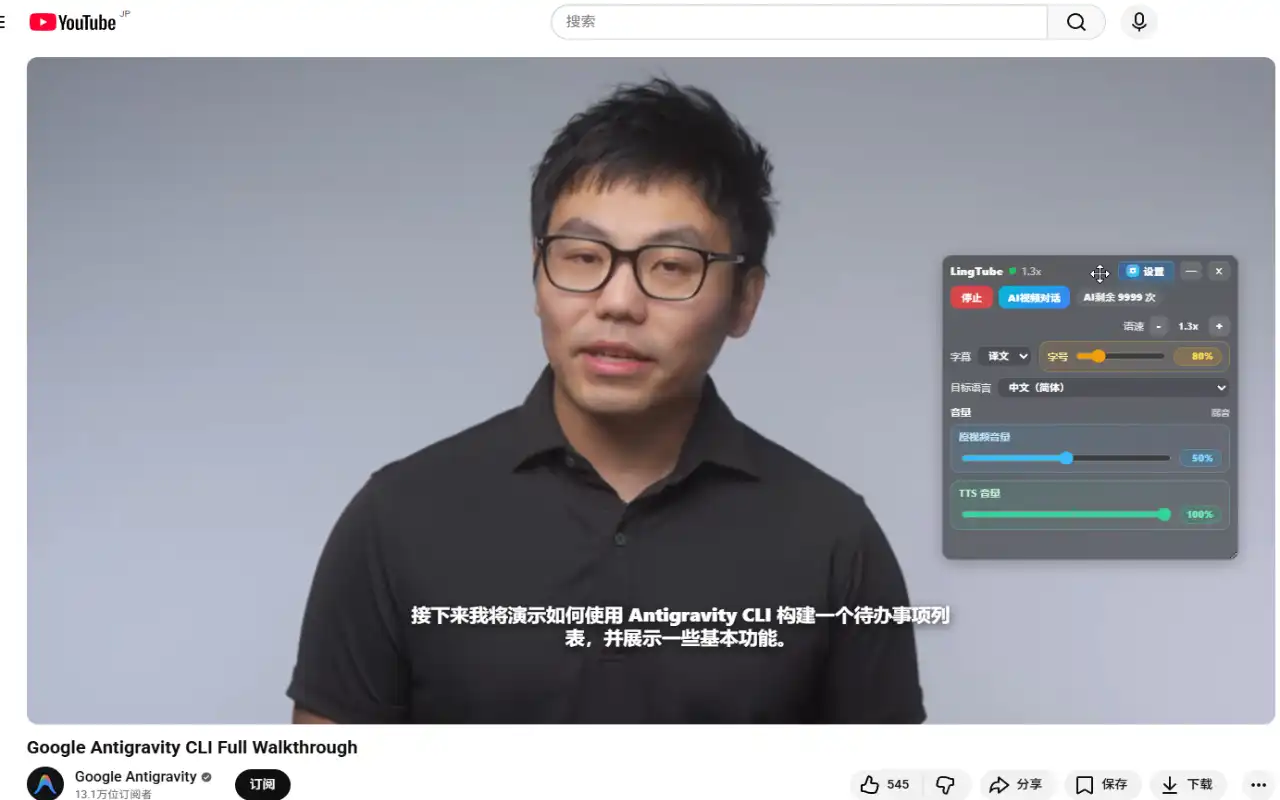
YouTube video translation
Translate subtitles, speech, and videos that ship without captions — all from the YouTube page you are already watching.
Bilingual subtitles
Show translation and original on screen together, or switch to just one side when you want a cleaner view.
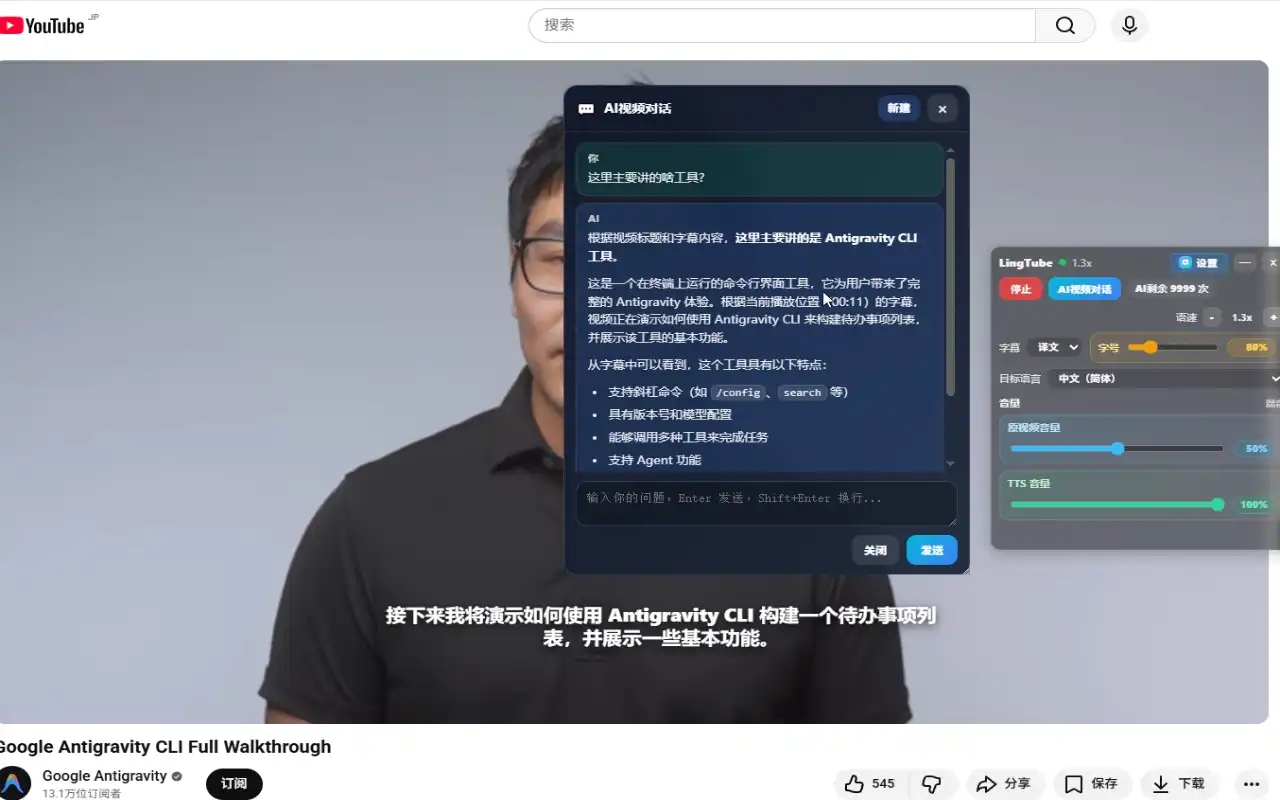
AI dubbing and read-aloud
Use Edge TTS quality voices or the browser-native voice to read the translation aloud while the video keeps moving.
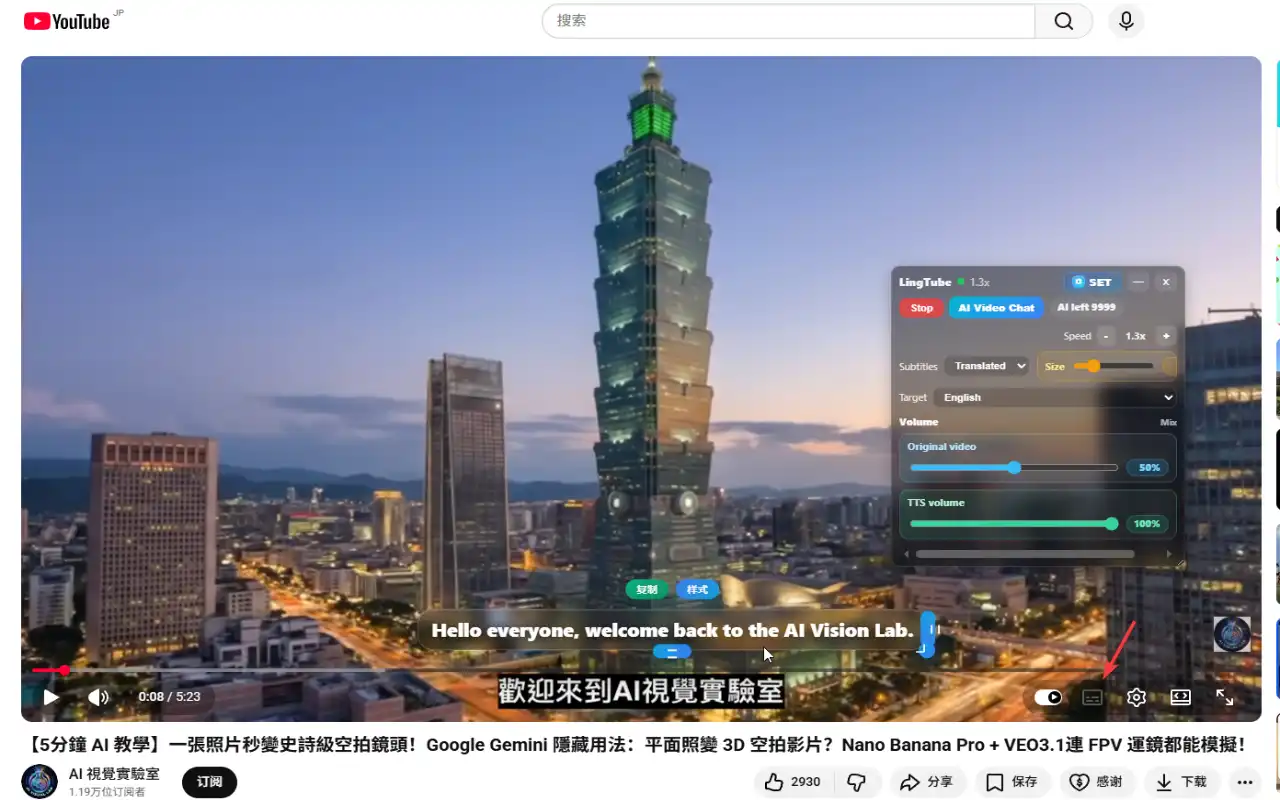
Rescue videos without subtitles
If a video has no captions, LingTube turns speech into text first, then translates and reads it for you.
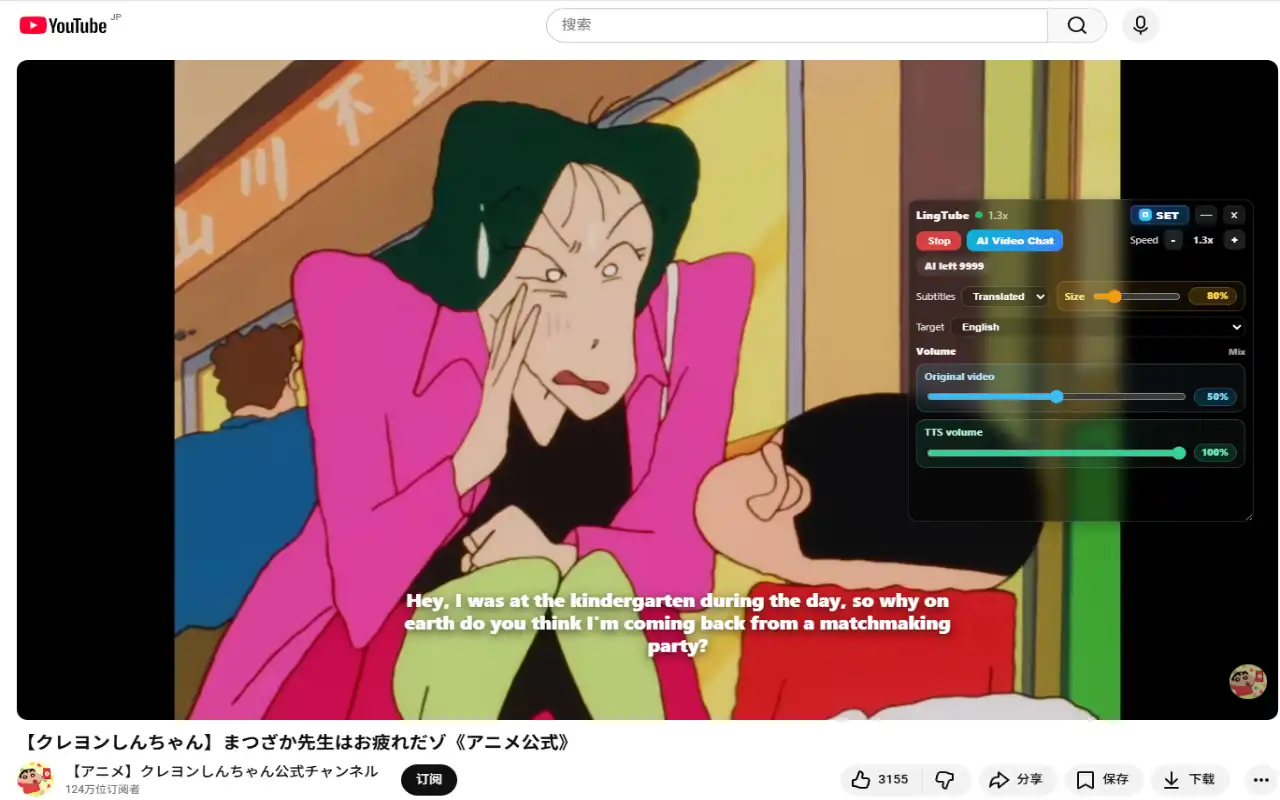
AI video summary and chat
Once the translated transcript is ready, chat with the video to summarize key points, explain jargon, and jump to the right timestamp.
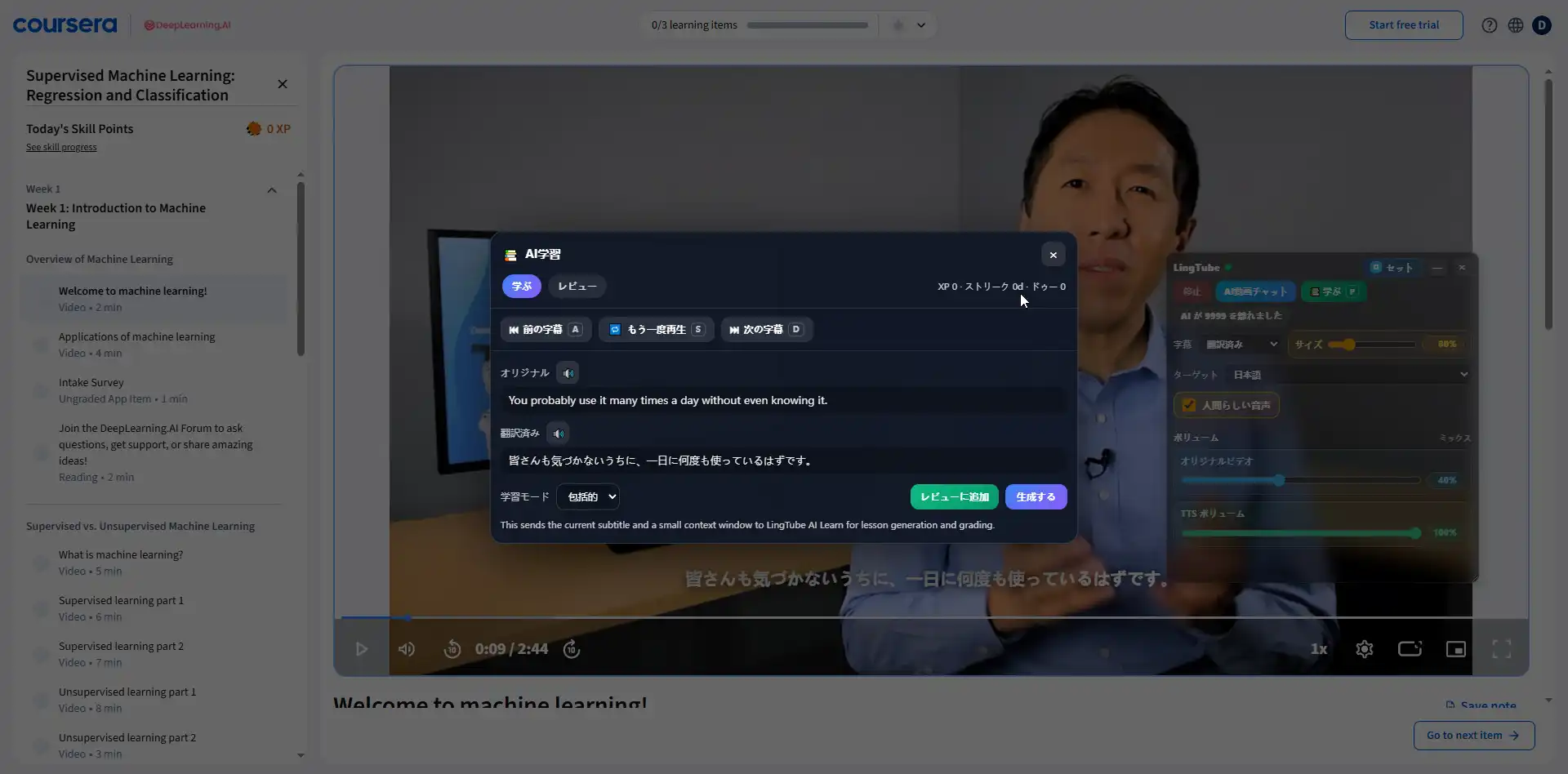
AI study from the exact line
Turn the current subtitle into vocabulary, grammar notes, short drills, scoring, and review prompts.
Coursera · Udemy · Bilibili · TikTok
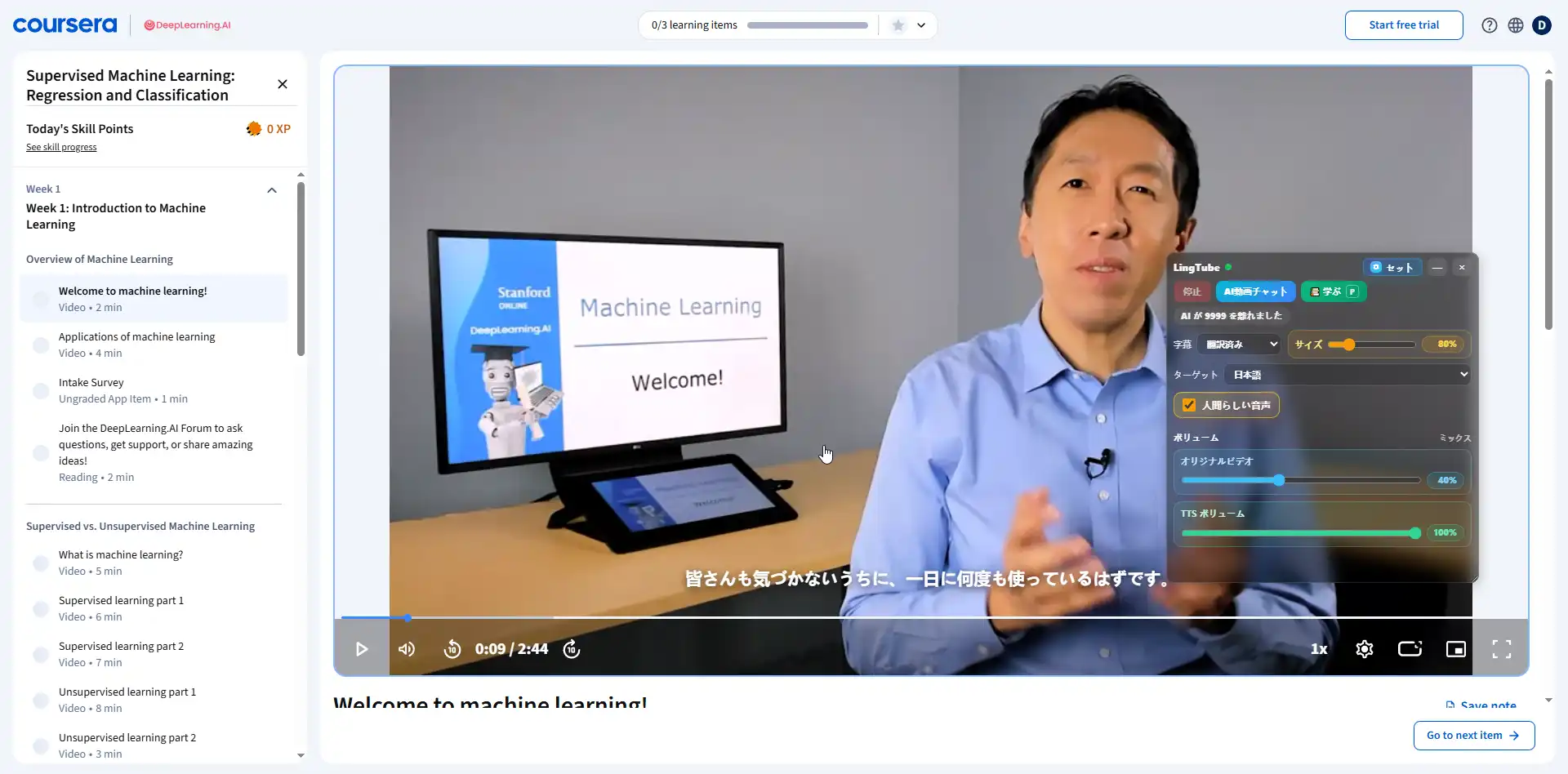
Also supports the Coursera online education platform
Also supports the Coursera online education platform · Also supports the Udemy online education platform · Also supports the Bilibili video platform · Also supports the TikTok short-video platform
Coursera
Also supports the Coursera online education platform
Udemy
Also supports the Udemy online education platform
Bilibili
Also supports the Bilibili video platform
TikTok
Also supports the TikTok short-video platform
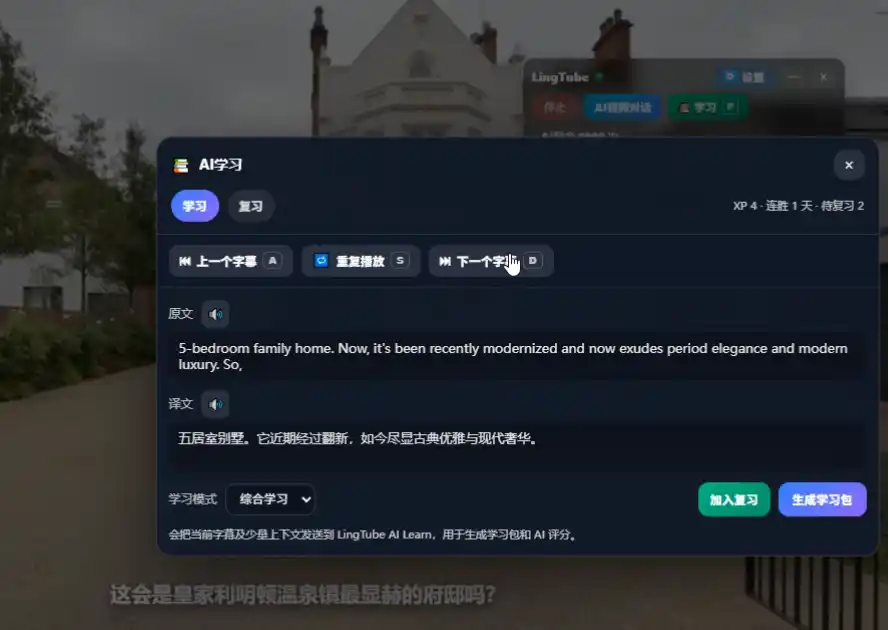
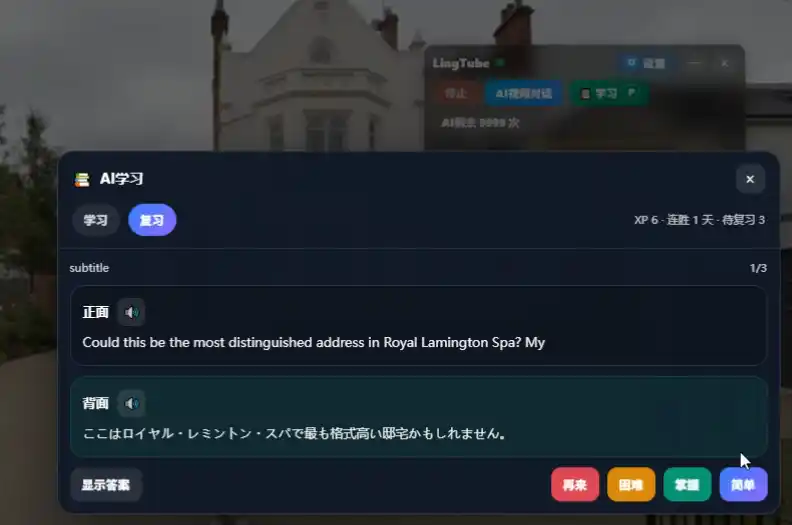
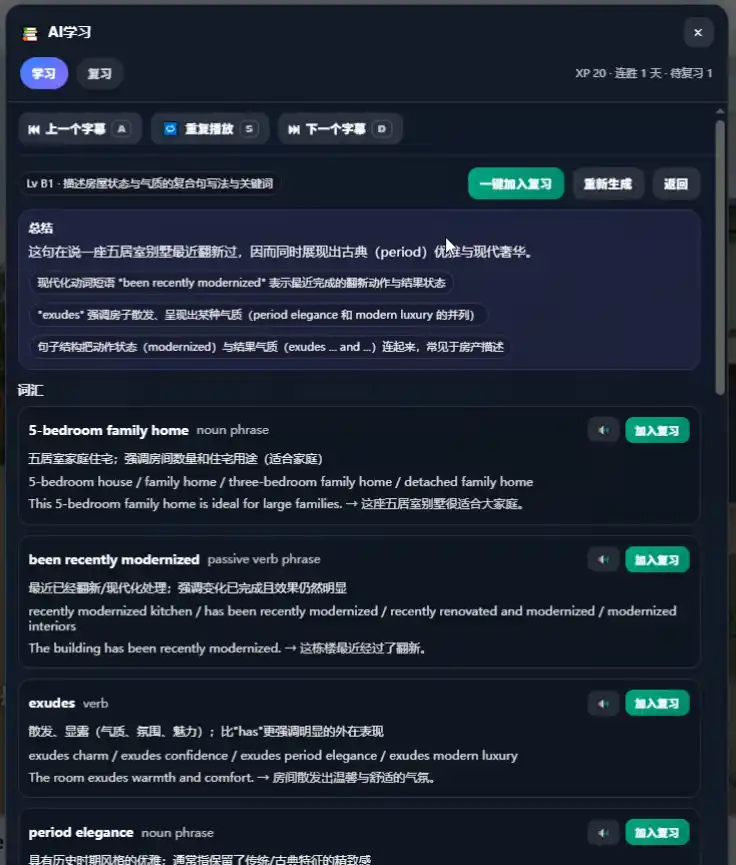
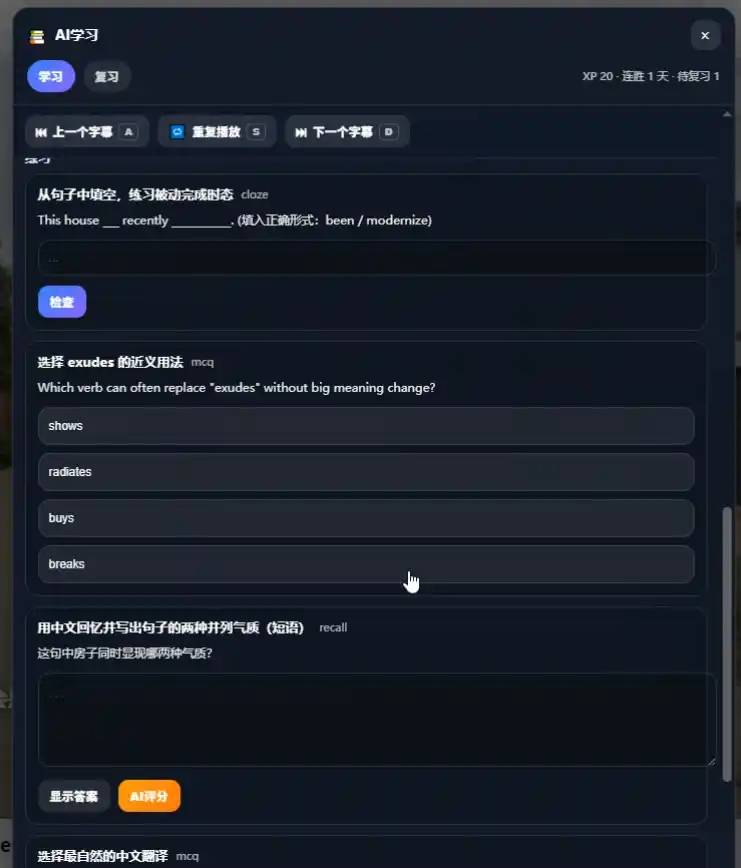
AI study
Turn any subtitle into a complete AI study session.
Pause on a line and LingTube builds a study pack right beside the video — vocabulary, grammar, drills, and spaced-repetition review.
Fits real watching habits.
Use LingTube during commuting, shadowing practice, or deep-dive learning on a single tough sentence.
Learn while your hands are busy
Queue AI-dubbed voices for podcasts, interviews, and long videos when you want to listen more than stare at the screen.
Repeat-after-me partner
Read the original, glance at the translation, then mimic the dubbed voice for speaking practice.
Slow down on dense material
Pause on one tricky sentence and turn it into vocabulary, grammar, and review content before moving on.
Private by default.
LingTube keeps its footprint tight and predictable — which matters when it runs next to the videos you watch every day.
Runs only on YouTube pages.
Settings stay in your local browser.
Subtitle, translation, and voice requests go only to the services you enable.
Simple monthly and yearly plans.
Pick monthly for flexibility or yearly for the best value. Cached translations always reopen without using extra credits.
Monthly
Flexible$8
Monthly plan
Unlimited AI translation for 30 days
A lighter commitment for regular practice, short bursts of study, and a lower entry price.
- Access the realistic, human-like advanced voice mode
- Access the AI study mode
- Good when you want full access without committing for the whole year.
- Cached translations reopen without extra usage.
- Same LingTube features on both plans.
Yearly
Best value$64
Yearly plan
Unlimited AI translation for 365 days
The lowest long-term price for people who use LingTube as part of a steady study routine all year.
- Access the realistic, human-like advanced voice mode
- Access the AI study mode
- Best for consistent learners who want the lowest effective monthly cost.
- Cached translations reopen without extra usage.
- Same LingTube features on both plans.
Daily sign-in grants one free AI translation credit. After your AI credits run out, you can keep using the standard translation mode.
Checkout starts from inside the extension after sign-in so the plan activates on the right LingTube account.
Install LingTube and make YouTube easier to understand.
Start with the Chrome extension, then open secure checkout inside LingTube whenever you want to activate a monthly or yearly plan.